MGx8Tunerv0.1.12

MGx8 Tuner is a calibration editor for BMW MG1 and ZF 8HP BIN files. Open a dump, find a map by name, edit it as a table, a curve or a 3D surface and compare it with another file.

Tuner license

$19 USD

Tax is added at checkout.

Download
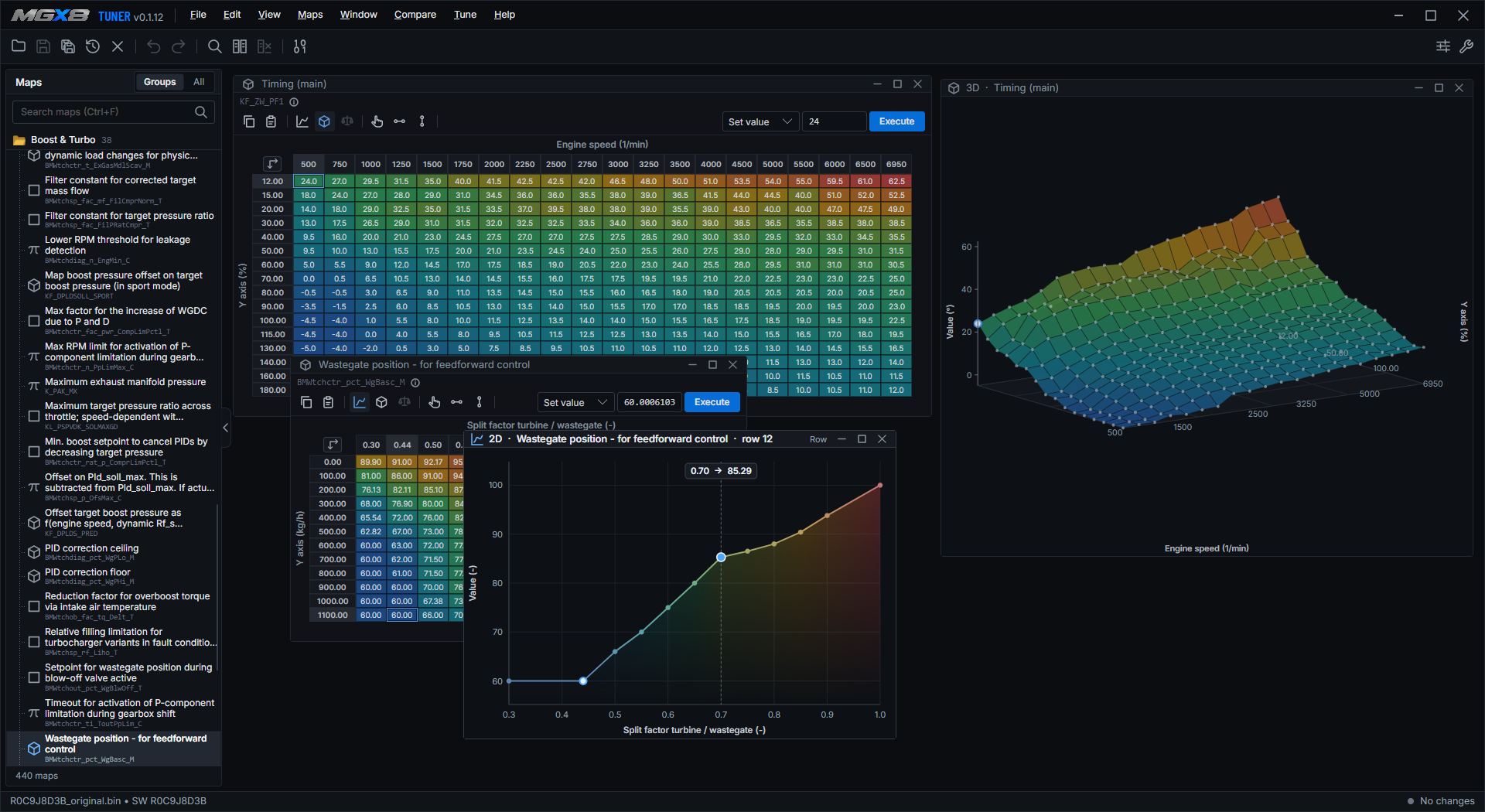
MGx8 Tuner with a map list, a calibration table and a 3D surface

Free to downloadOpening, editing and comparing files needs no license. Saving needs a Tuner license.

Built-in map definitionsNo external A2L or XDF files needed.

Windows 10 or laterTuner edits files and does not connect to the car.

Edit every map

Table, 2D curve and 3D surface sit side by side. Drag a point on the surface or step through a row with the keyboard. Every edit is one undo step and stays inside the limits of the definition.

Open and identify

Open a full or partial BIN of a supported BMW MG1 or a ZF 8HP transmission file, with the button, by drag and drop or from the recent list. Tuner reads the software ID inside the file, takes the matching definition and finds where every map sits, even in a partial dump.

  • Built-in definitions for more than 160 software versions, no A2L or XDF files needed
  • Import your own A2L or XDF files for a version that is missing
  • A version without a definition can often still be opened, with the maps Tuner can confirm from the data
  • Maps have readable English names, with the original BMW name underneath
Find and edit maps

Find a map in the searchable tree, sorted by what it controls: ignition, boost, fuel, air and load, valve timing, torque and more. Every map opens in a window of its own inside the program, so several can stay open side by side. Type a value, move a block of cells with the keyboard, or apply an operation such as add, multiply or scale by a percentage.

  • Table, 2D curve and 3D surface of the same map, all of them editable by dragging points
  • Smooth or interpolate selected cells, and copy and paste to and from a spreadsheet
  • Edit the axes too, or rescale an axis and let the cells follow
  • Values stay inside the limits of the definition, and every edit can be undone

Compare files

Open a second BIN beside yours and Tuner lists every map that differs. Flip a map between the two files, see the difference as a number or in percent, and take single cells, a whole map or all the differing maps over in one undoable step.

  • Compare with the original at any time
  • A map with another size, or with values outside the limits, is left out and listed

Tune Assistant

Pick a stage, an option such as HPFP and a fuel. Tuner builds a plan from its built-in library of reference tunes: every map and cell it would change, with the original value, the new value, the difference and the reason, in the order the ECU works, from torque and load to boost, fuel and ignition. Nothing is written to your file while you read the plan.

  • It works on any supported software version and adapts the tune to your file
  • Checks rate every change as info, warning or critical, for example axes out of order, more air without fuel or a tune made for another engine
  • Tick the maps you want, and the checks run again for what is ticked
  • Apply writes the ticked maps as one undo step

Every value comes from a reference tune. The assistant cannot see your turbocharger, injectors or fuel, so review the plan before you flash.

Quick settings

Configure changes a few common settings with a click: the catalyst heating at cold start, the top speed limiter and the start-up roar. Only settings that have a matching map in your file are shown, and each change is one undo step.

Versions and export

Keep your work in a project: save versions with a name and a comment, switch between them, or compare any of them with the original, which always stays untouched. Everything you change is listed in the Changes tab.

  • Export a patch with only the changed cells, to apply the same edit to another file of the same software
  • Export a change log as a CSV file
  • Save as BIN or S19; the first save over a file keeps the original as a .bak copy

Tuner does not correct checksums. Flasher does that when it writes the file.

Details

Version
0.1.12
Size
50 MB
Requires
Windows 10 or later, and an internet connection for activation, license checks and updates
Opens
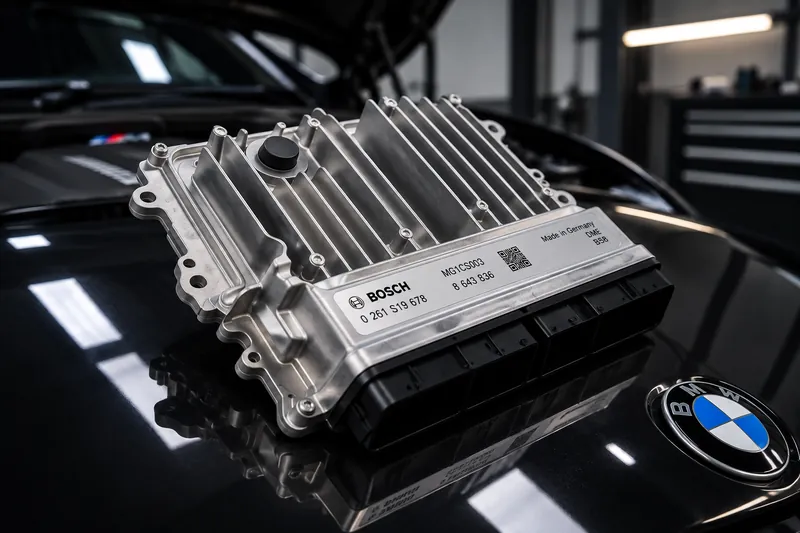
Full or partial BIN dumps of supported BMW MG1 ECUs and ZF 8HP TCUs
Maps
Built-in definitions, no external A2L or XDF files required
Tuner license, $19
Bound to one computer. It enables saving, patches, versions, Configure and the Tune Assistant.
Download
Free. A license enables saving and the Tune Assistant

Questions about Tuner

Is there a free version?

Yes. Tuner is free to download. Opening, editing and comparing BIN files needs no license. Saving, exporting patches, project versions, Configure and the Tune Assistant need a Tuner license.

Does Tuner write to the ECU?

No. Tuner edits files. To put a calibration on the ECU, use Flasher, and check the result before you flash.

Which files does Tuner open?

Full or partial BIN dumps of supported BMW MG1 and MEVD17 ECUs.

What if I change my laptop?

A Tuner license covers one computer and is not tied to a vehicle. Email us if you move to a new laptop.